The AI code editor for Arduino
You know Cursor for software. Codey Online is the same idea for Arduino: describe your project in plain language and the AI writes the sketch, wires up the components and flashes your board - no local install needed.
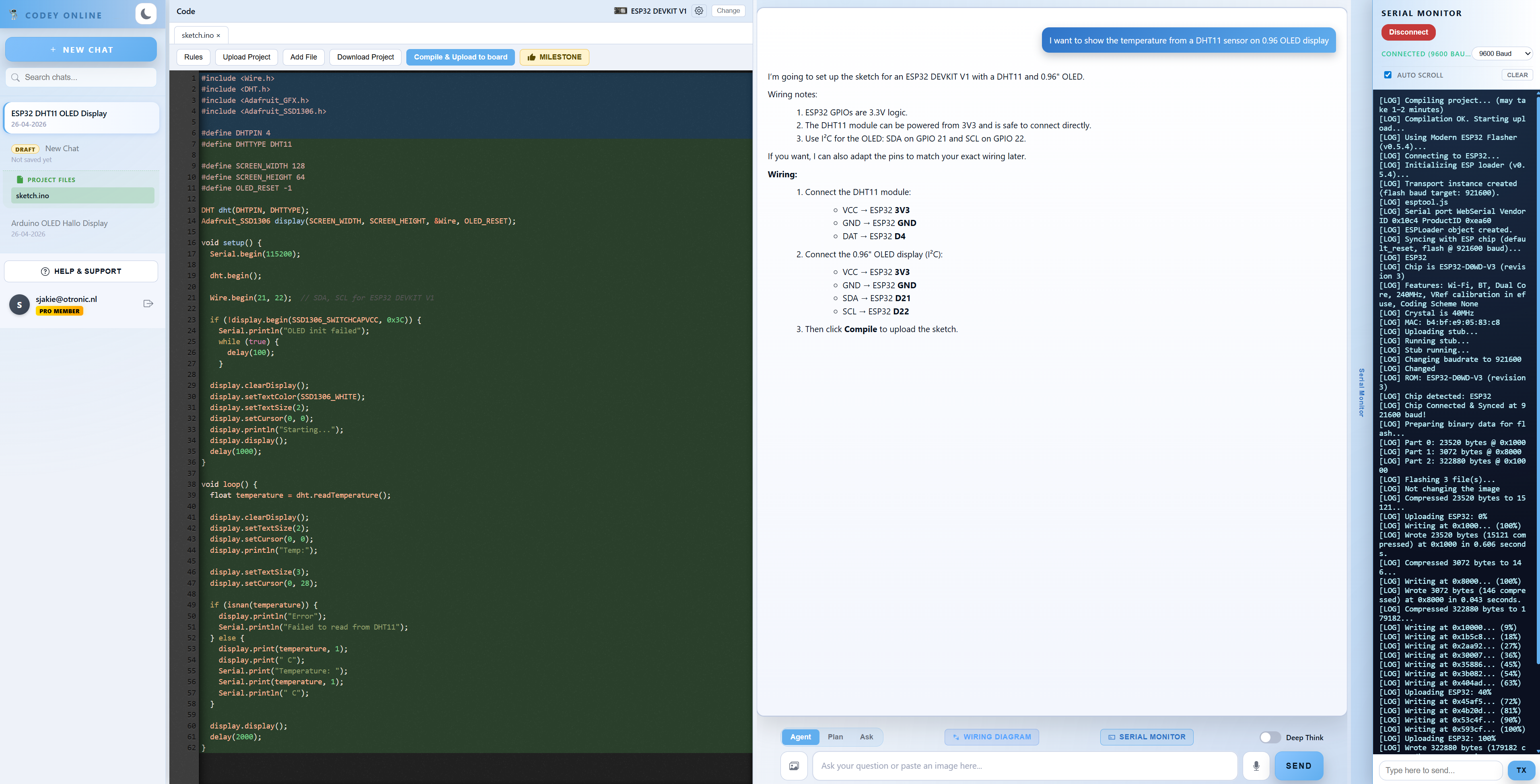
You know Cursor for software. Codey Online is the same idea for Arduino: describe your project in plain language and the AI writes the sketch, wires up the components and flashes your board - no local install needed.
Cursor changed how developers write software: you chat with an AI that understands your whole project and edits code with you. Codey Online brings that same workflow to Arduino. Instead of staring at a blank sketch, you describe what you want - "read a DHT22 and show the temperature on an OLED" - and the AI generates working Arduino C++ code, explains it, and fixes compile errors for you.
The difference: Codey understands hardware. It knows pinouts, logic levels and libraries, so the code it writes actually matches the components on your desk.
Codey Online is a full browser IDE. It compiles your sketch server-side with arduino-cli, installs any missing libraries automatically, and flashes the firmware to your Arduino over USB using Web Serial - directly from Chrome or Edge. No Arduino IDE, no toolchain, no driver hunt.
The AI-first workflow you know from software, tuned for physical hardware.
Chat to generate complete sketches for UNO, Nano and Mega. Codey explains the code and repairs compile errors automatically.
Every project gets a clear connection diagram showing exactly which pin goes where - generated alongside the code.
Compile online and upload to your board over USB with Web Serial. Nothing to install on your computer.
Describe what you want to build. Codey Online writes the code, draws the wiring diagram, compiles it and flashes your board straight from the browser.
Start for free